Technical Support



Y-mouse® Support
Where are the Drivers?
All of our Y-mouse adapters use the standard keyboard and mouse drivers already included in your Operating System. No additional software is required.
Y-mouse Dual Mouse Adapter
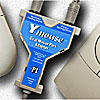
Issue: One Mouse does not work.
The Y-mouse accepts data from one device until it stops sending data. If one of your mice is active (button down for example) the Y-mouse will ignore input from the second mouse. We do make a special version of the Y-mouse (Or-ing Y-mouse) which sums the data from both mice allowing simultaneous operation such as clicking with one mouse and dragging with another.
Issue: I have a mouse on each side of my keyboard. How do I swap buttons on the two mice so the primary button is under my index finger on both sides?
We make a special version of the Y-mouse for this, the Y-mouse Left-Right Mouse Adapter.
Y-mouse PS/2 to USB Adapter

Issue: Mouse Cursor is jumpy in Macintosh OS-X.
Reduce the mouse speed in the OS-X System Preferences (Keyboard and Mouse Settings) and use the Esc+Q special setting for the Y-mouse.
Issue: Keys on right side of keyboard send wrong characters to laptop computer.
Check the NumLock status on the laptop. If NumLock is on, the keyboard will emulate a laptop keyboard and turn the right side of the keyboard into a numbers pad.
Y-key key Dual Keyboard Adapter

Issue: Can I use a mouse with this?
The Y-key key Adapter is for keyboard only. If you require both mouse and keyboard in the same adapter, we recommend our Y-mouse PS/2 to USB Adapter.
Y-see two Dual Monitor Adapter
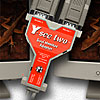
Issue: No picture appears on either monitor.
Check that the keyboard power tap is connected. The Y-see two requires power from the computer or from an external power supply (WHYM-XFM).
Y-mouse Keyboard and Mouse Adapter for PS/2
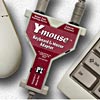
The introduction of Windows 2000 rendered this device obsolete. As a replacement, we recommend our Y-mouse PS/2 to USB Adapter.
Y-mouse Serial Mouse Adapter
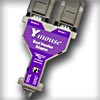
Issue: No response from either mouse.
Check that keyboard port power tap is connected. If no keyboard port is available, the Y-mouse Serial adapter requires an external power supply (WHYM-XFM).
Accessories | Developer´s Corner | Resources | Support
Shopping Cart | Checkout | Privacy Policy | Site Map
X-keys, Y-mouse, RailDriver and The No Slogan Company are Trademarks of P.I. Engineering, Inc.
Copyright © 2007 P.I. Engineering, Inc. All Rights Reserved.
101 Innovation Parkway
Williamston, MI U.S.A. 48895
1-517-655-5523
FAX: 1-517-655-4926
www.piengineering.com | www.xkeys.com | www.ymouse.com | www.raildriver.com
Visit Our New Divisions: