Y-mouse®


Y-mouse® Adapter for SUN


- Converts a PC keyboard and mouse or KVM to USB
- Provides special Sun commands
- Add the Sun X-keys to restore all 17 special Sun commands
- Perfect for KVM connection
- Specifications and Manual
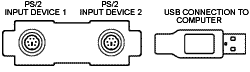
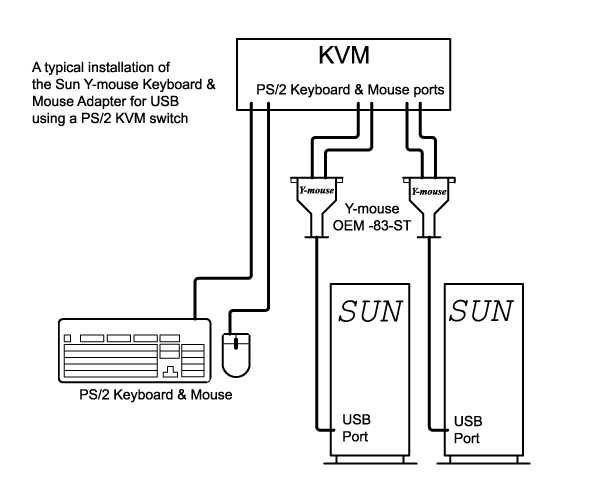
The Y-mouse Sun Adapter for USB is the fast, easy way to connect a KVM to a SUN USB port. It installs without opening the computer, using drivers already on the system. Just plug it in and go.
Newer SUN system computers have abandoned PS/2 keyboard input in favor of USB. This is fine as long as your SUN computer can be operated from their new USB keyboard alone, but many SUN computers are part of a group run from a single workstation through a KVM. Most KVMs don't support USB input hardware, so how do you connect the new Sun to your system? You can't.
To solve this problem, P.I. Engineering modified our Y-mouse PS/2 to USB Adapter for SUN. This Y-mouse not only adapts all of the standard PS/2 keyboard commands to USB, it also regonizes a special set of scan codes we've assigned and translates them into equivalent SUN USB codes.
To support users who require the SUN “Stop” command, we’ve incorporated a special feature. When the Y-mouse microprocessor sees the combination of the “Win + Alt” keys, it fires the stop command.
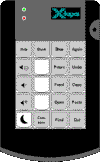
If you require all of the SUN commands for your KVM, get our special edition SUN X-keys with all 17 extra functions and three programmable keys.
Accessories | Developer´s Corner | Resources | Support
Shopping Cart | Checkout | Privacy Policy | Site Map
X-keys, Y-mouse, RailDriver and The No Slogan Company are Trademarks of P.I. Engineering, Inc.
Copyright © 2006 P.I. Engineering, Inc. All Rights Reserved.
101 Innovation Parkway
Williamston, MI U.S.A. 48895
1-517-655-5523
FAX: 1-517-655-4926
www.piengineering.com | www.xkeys.com | www.ymouse.com | www.raildriver.com
Visit Our New Divisions: