Free Resources



DJ and VJ´s Resources
From a simple transport control, to a fully functional cueing console, X-keys can make the live DJ and VJ look more professional and less like a computer jockey.
If you have an X-keys layout or pictures to share with us, please contact us: [email protected]
DJ 1800
DJ 1800 is A complete, self-contained professional DJ system for the Mac. supporting the X-keys Jog & Shuttle Professional. DJ 1800 maps the 46 keys and Jog & Shuttle control directly to functions in the software. They also offer a printable template for key legends on their web site: http://www.dj1800.com/controlhardware.php
Rockit 2000 Pro DJ by SoftJock
SoftJock offers both the Macro Maker profile and the Legend file for a great layout on the X-keys Professional. Check them out here: http://www.rockit2000.com/DJSoftware/dj-xkeys.htm
"We have quite a few customers who use the X-keys with our DJ and Jukebox software.
-- Rick Cimorelli,
SoftJock, Inc.
OTSDJ by OTS Labs

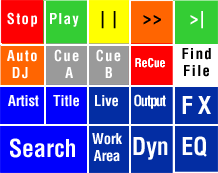
This template and these comments are taken from a posting by Jeff Main (AKA Jumpin’ Jeff). Thanks, Jeff.
The top row is Global Stop, Play, and pause, followed by a continue directive, and next track keys. The second row is Auto DJ, Set cue Deck A, Set cue deck B Set recue as next, and windows find, with it's directory pointing to my music drive. The third and forth rows are royal blue, color coded for search window(search) and sort search window by Artist, or Title. The 6 remaining Dark blue keys are Live output configuration window, Output configuration, Scratch FX, EQ, Dynamics Processor, and work area buttons. Pressing any except the work area, will bring up the corresponding window. Pressing a second time closes that window. Search is the same. The work Area button cycles through the different view modes of full playlist, History, and Work area. —— Jumpin’ Jeff
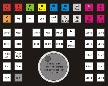
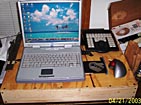
To learn more about OTSDJ and download a free demo, visit the OTS Labs web site: www.otsdj.com
Jeff runs a great forum for OTS fans around the world: Jumpin’ Jeff’s Unofficial OTS Fan Club
Traktor DJ by Native Instruments

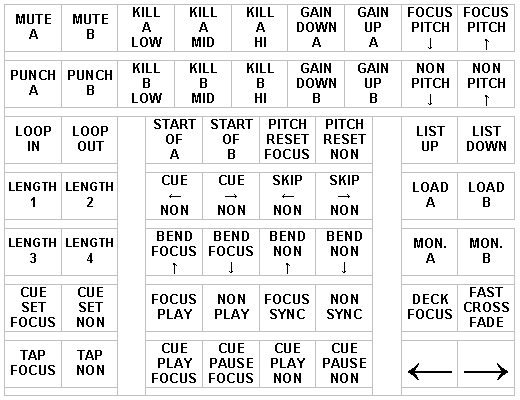 Mark Barrot of FutureLoop provides this X-keys Pro Layout for Native Instruments Traktor:
xkltraktor.doc
Mark Barrot of FutureLoop provides this X-keys Pro Layout for Native Instruments Traktor:
xkltraktor.doc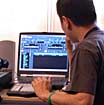
Thanks to Friedemann Becker for his help in supporting X-keys with Native Instruments Software.
Alcatech BPM-Studio
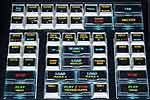
Engelbert Busch (www.oldies2000.de) submitted this layout for Alacatech BPM-Studio. Thank you Engelbert.
Accessories | Developer´s Corner | Resources | Support
Shopping Cart | Checkout | Privacy Policy | Site Map
X-keys, Y-mouse, RailDriver and The No Slogan Company are Trademarks of P.I. Engineering, Inc.
Copyright © 2006 P.I. Engineering, Inc. All Rights Reserved.
101 Innovation Parkway
Williamston, MI U.S.A. 48895
1-517-655-5523
FAX: 1-517-655-4926
www.piengineering.com | www.xkeys.com | www.ymouse.com | www.raildriver.com
Visit Our New Divisions: